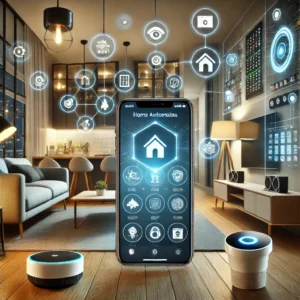
Welcome to the world of smart homes, where technology meets convenience and efficiency. A smart home integrates internet-connected devices that allow you to control and automate various household functions, enhancing comfort, security, and energy efficiency. This guide is designed for beginners who are eager to transform their living spaces into intelligent environments. We’ll cover the basic components, setup strategies, and tips for creating a smart home that suits your lifestyle needs.
Understanding the Core Components of a Smart Home
Before diving into setup, it’s crucial to understand the core components that make up a smart home. These include smart hubs, smart lighting, smart thermostats, smart security systems, voice assistants, and more. Each component plays a unique role in the ecosystem, and understanding their functions will help you decide what to prioritize.
Smart Hubs
The smart hub acts as the central nervous system of your smart home. It connects and communicates with all your smart devices, enabling them to work together seamlessly. Popular options include Samsung SmartThings, Amazon Echo Plus, and Google Nest Hub.
Smart Lighting
Smart lighting systems, such as Philips Hue and LIFX, allow you to control your home’s lighting through your smartphone or voice commands. You can adjust brightness, color, and even set schedules to automate lighting based on your daily routines.
Smart Thermostats
Smart thermostats, like the Nest Learning Thermostat or Ecobee, offer precise control over your home’s heating and cooling. They learn your schedule and preferences, helping to reduce energy consumption and lower utility bills.
Smart Security Systems
Security is a significant aspect of smart homes. Systems like Ring and Arlo provide smart cameras, doorbells, and sensors that enhance your home’s security. Features include live video streaming, motion detection, and mobile alerts.
Voice Assistants
Voice assistants, such as Amazon Alexa, Google Assistant, and Apple Siri, enable hands-free control of your smart devices. They can perform tasks like playing music, setting reminders, and answering queries.
Setting Up Your Smart Home
Now that you understand the core components, it’s time to set up your smart home. Follow these steps to ensure a smooth and successful installation:
1. Evaluate Your Needs
Start by assessing your needs and priorities. Do you want to focus on energy efficiency, security, or convenience? Understanding your goals will help you choose the right devices and platforms.
2. Choose a Compatible Ecosystem
To ensure seamless integration, select a compatible ecosystem for your devices. Leading ecosystems include Amazon Alexa, Google Assistant, and Apple HomeKit. Each offers unique features and device compatibility, so choose one that aligns with your preferences.
3. Install Smart Hubs and Devices
Begin by setting up your smart hub, which will serve as the control center for your devices. Follow the manufacturer’s instructions for installation and connect your devices to the hub. Make sure to download the corresponding mobile apps for easy management.
4. Configure and Customize
Once your devices are connected, configure them to suit your preferences. Set up routines, schedules, and triggers to automate tasks such as turning lights on at sunset or adjusting the thermostat when you’re away.
5. Secure Your Network
Security is paramount in a smart home. Ensure your Wi-Fi network is secure by using strong passwords and enabling encryption. Regularly update device firmware to protect against vulnerabilities.
Tips for Enhancing Your Smart Home Experience
To maximize the benefits of your smart home, consider these additional tips:
Start Small
As a beginner, it’s wise to start small and gradually expand your smart home. Begin with a few key devices, such as a smart speaker or thermostat, and add more as you become comfortable with the technology.
Utilize Voice Commands
Voice commands are a powerful tool for controlling your smart home. Familiarize yourself with common commands and explore the capabilities of your voice assistant for a hands-free experience.
Integrate IFTTT
IFTTT (If This Then That) is a platform that allows you to create custom automations between different apps and devices. Explore IFTTT to create unique routines and enhance the functionality of your smart home.
Regular Maintenance
Keep your smart home devices in optimal condition by performing regular maintenance. This includes checking for software updates, cleaning devices, and ensuring connections are secure.
Common Challenges and Solutions
While setting up a smart home can be rewarding, it’s not without its challenges. Here are some common issues and solutions:
Compatibility Issues
Not all devices are compatible with every ecosystem. Before purchasing, check for compatibility to avoid integration problems. Consider using a universal hub like SmartThings for broader compatibility.
Connectivity Problems
Smart devices rely on a stable internet connection. If you experience connectivity issues, consider upgrading your router, placing devices closer to the router, or using Wi-Fi extenders.
Privacy Concerns
Smart homes can raise privacy concerns due to data collection. To protect your privacy, review device privacy settings, disable unnecessary data sharing, and use two-factor authentication.
Conclusion
Setting up a smart home for the first time can be an exciting journey into the future of living. By understanding the core components, carefully planning your setup, and following best practices, you can create a smart home that enhances your daily life with convenience, security, and energy efficiency. Remember, the key is to start small, prioritize your needs, and enjoy the process of creating a home that’s as smart as you are.